Doppler Siren
Background3DSeamless loop10 seconds
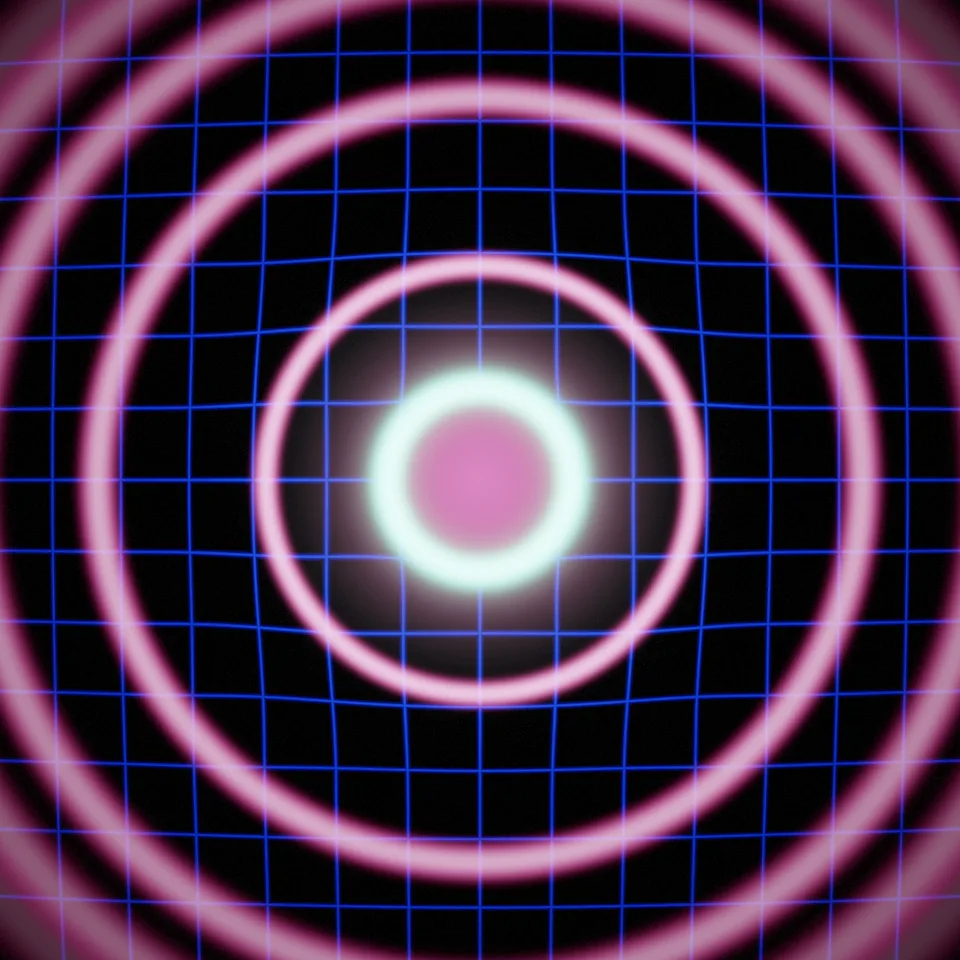
A speaker cone kicks on every beat and rings of pressure race outwards, bending a neon grid. Loops perfectly.
In Science & maths, Music & sound, Light, glass & shine
Next: Doppler SirenSurprise me
Your current settings go with it. Combine several clips and hand them over together from your sequence.
Presets
How fast a ring fades.
The preview runs the same code your AI receives. These settings travel with the hand-off.
A deep bass note made visible: at every beat the cone of a speaker at the centre kicks and a ring of pressure leaves it, racing outwards, thinning and fading, bending the neon grid of the floor behind it and splitting into its colours at its edge. Several rings are always in flight, so the whole screen throbs in rhythm. Choose the colours (neon, fire, ice or mono), the beats per loop, how many rings are in flight, their punch, thickness and decay, and how much the grid bends.
src/bass-pulse.js is the ingredient your AI reuses. demo.js is only the example scene around it, and uses the demo harness only for the demo.
src/bass-pulse.jscreateBassPulse({ beats?, rings?, palette?, punch?, thickness?, decay?, warp? }) => { scene, camera, setSize(width, height), update(time, loopSeconds), dispose() }createBloomPass(renderer, { width, height, glow?, exposure?, grain? }) => { render(scene, camera, output?), dispose() }PALETTES: { neon, fire, ice, mono }three@0.185.1 (source) — Renderer, geometry and shader materials.apw-runtime@1.0.0 (demo) — Demo harness.Coordinates: Centred on the frame, 1 = the frame's half-height; rings travel out to 1.35.
Lighting: Self-lit; the bloom gives the glow.
Timing: update(time, loopSeconds) sets the loop phase; frames render in any order.
npm install
npm run render -- bass-pulse/1.0.0 --out my-video.mp4
Needs Node 18+, ffmpeg and Chrome/Chromium. Add --params my-settings.json (from Copy settings) for your own settings.sha256:2d8e3029463a95c7…Background3DSeamless loop10 seconds
3D object3DSeamless loop16 seconds
Background3DSeamless loop12 seconds
Background3DSeamless loop15 seconds
Background3DSeamless loop14 seconds
Background3DSeamless loop12 seconds
Background3DSeamless loop10 seconds
Background3DSeamless loop12 seconds