Torus Wave Loop
Effect2DSeamless loop8 seconds
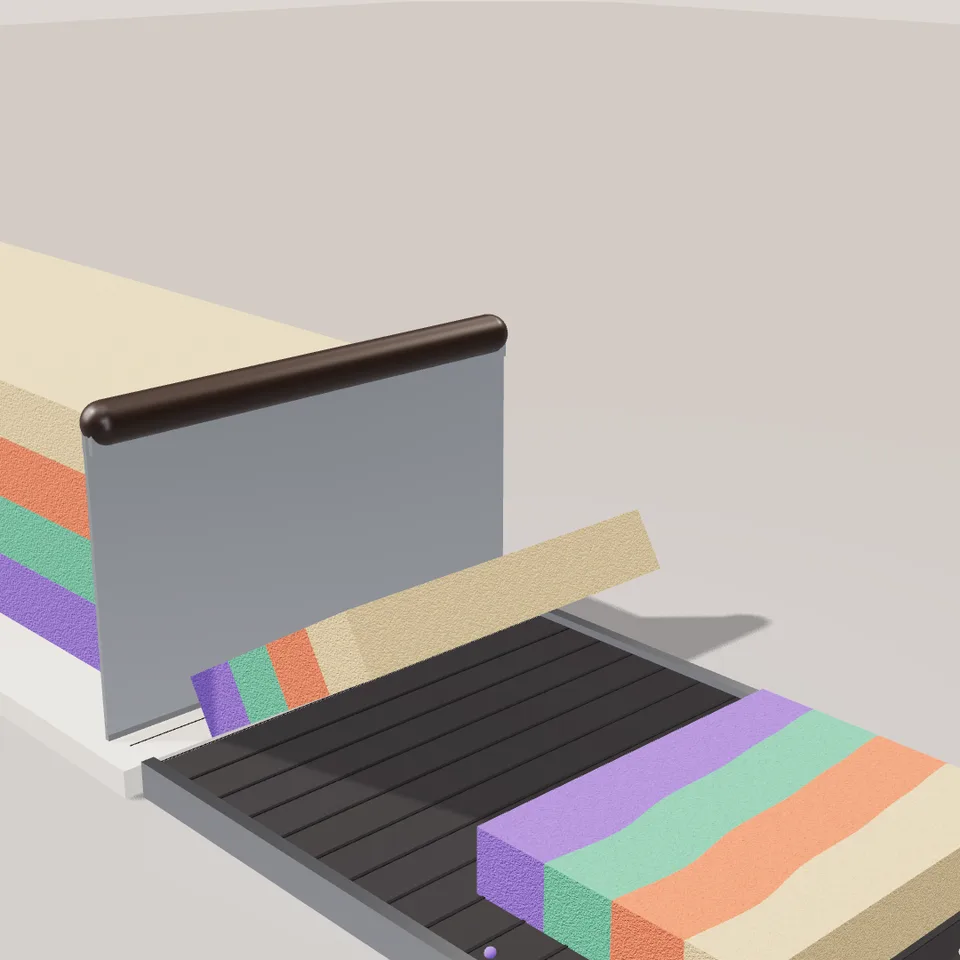
A block of coloured kinetic sand is sliced by a steel scraper, and each slice topples onto a belt with its hidden pattern face up, looping forever.
In Liquids
Your current settings go with it. Combine several clips and hand them over together from your sequence.
Presets
What each cut reveals.
Layers: bottom band. Heart: the sand around it. Swirl: first colour.
Layers: second band. Heart: the heart. Swirl: second colour.
Layers: third band. Heart: its outline. Swirl: third colour.
Layers: top band (not used by heart or swirl).
As a fraction of the block's height.
More cuts make a faster rhythm in the same loop.
How many crumbs break off when a slice lands.
0 is smooth like soap, 2 is coarse.
Changes the crumbs, the grain and the wobble of the layers.
The preview runs the same code your AI receives. These settings travel with the hand-off.
The AI ASMR sand-cutting shot, built in code. A long block of soft, grainy kinetic sand nudges forward, a broad steel bench scraper presses down through it, and the slice leans off the blade and flops over onto a slow belt with a little squash and a scatter of crumbs. The cut face shows what is inside the block: pastel layers, a hidden heart or a marbled swirl. Choose the pattern and its four colours, how thick the slices are, how many cuts fit in the loop, how much it crumbles and how coarse the grain looks. The clip loops exactly.
src/kinetic-sand-slice.js is the ingredient your AI reuses. demo.js is only the example scene around it, and uses chrome-material only for the demo.
src/kinetic-sand-slice.jscreateKineticSandSlicer({ pattern?, colors?, thickness?, depth?, cycleSeconds?, cutsPerLoop?, crumbs?, grain?, seed?, boardColor?, beltColor?, handleColor?, showBelt? }) => { group, update(time), timeline, landingX, baseY, beltStep, dispose() }createSandPattern({ pattern?, colors?, seed?, size? }) => HTMLCanvasElementsliceTimeline({ cycleSeconds, thickness, gravity? }) => (phase) => { feed, blade, angle, squash, landed, sinceLanding, landPhase }three@0.185.1 (source) — WebGL rendering (src and demo).chrome-material@1.1.0 (demo) — Studio environment, cove and floor for the demo scene. src/kinetic-sand-slice.js only needs three.apw-runtime@1.0.0 (demo) — Demo harness.Coordinates: Y-up; block height 1 unit; board and belt top at y = 0, their underside at baseY (−0.1). The blade cuts in the plane x = 0, the block comes from −x and slices travel along +x one beltStep (1.32) per cut. Centred on z = 0, about 1.8 units deep with the belt.
Lighting: Needs scene.environment (tuned with the chrome-material studio) plus one shadow-casting directional light; meshes cast and receive shadows.
Timing: Pure function of time. One cut every cycleSeconds; set cycleSeconds = clip length / cuts for a seamless loop.
npm install
npm run render -- kinetic-sand-slice/1.0.0 --out my-video.mp4
Needs Node 18+, ffmpeg and Chrome/Chromium. Add --params my-settings.json (from Copy settings) for your own settings.sha256:cc1956b34f178189…Effect2DSeamless loop8 seconds
Background3DSeamless loop12 seconds
Background3DSeamless loop12 seconds
Background2DSeamless loop12 seconds
Background3DSeamless loop12 seconds
3D object3DSeamless loop12 seconds
3D object3DSeamless loop15 seconds
Background3DSeamless loop8 seconds