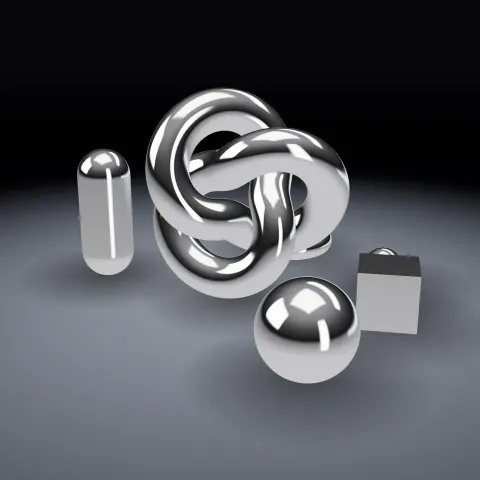
Chrome Material & Studio Light
Material3DSeamless loop8 seconds
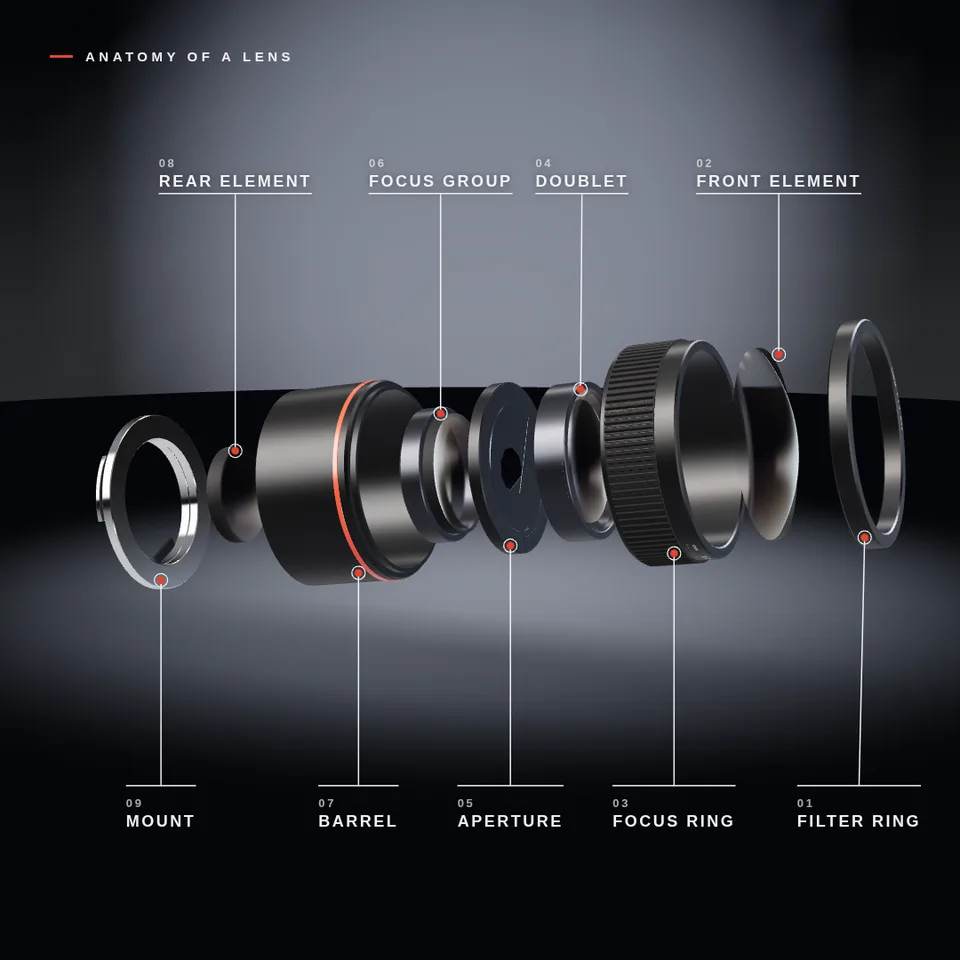
A camera lens comes apart into its glass elements, aperture blades and rings, each part labelled, then clicks back together. Loops perfectly.
Your current settings go with it. Combine several clips and hand them over together from your sequence.
Presets
How far the parts travel from their places. 1 is the normal layout.
Seconds between one part starting to move and the next.
How much each part pulls in before it moves and settles when it lands. 0 is perfectly smooth.
A small heading at the top left. Leave empty for none.
The ring on the lens (or the speaker's frame), the label dots and the title rule.
The preview runs the same code your AI receives. These settings travel with the hand-off.
The "how it works" shot from this autumn's explainer videos. A real-looking object floats in a studio, then slides apart along its axis: the parts that travel furthest leave first, each one pulls in slightly before it moves and settles when it arrives. A thin leader line and a numbered label grow out to every part, the camera pulls back to show the whole layout, and the parts slide home in reverse with a small settle. In the camera lens the glass has the green and violet sheen of coated optics, the nine aperture blades close as the lens opens up and the focus ring turns. You can switch to a loudspeaker driver, change how far apart the parts go, how quickly they follow each other and how much they snap, turn the labels and title on or off, and pick the backdrop, label and accent colours and the camera angle. The animation code takes any list of parts, so you can explode your own product with it.
src/exploded-view.js is the ingredient your AI reuses. demo.js is only the example scene around it, and uses chrome-material only for the demo.
src/exploded-view.jscreateExplodedView({ parts, axis?, spread?, duration?, stagger?, overshoot? }) => { group, parts, amount, update(time), labelLayout(camera, width, height, rows?), dispose() }createCameraLens({ accent?, engraving? }) => { parts, length, radius, dispose() }createSpeakerDriver({ accent? }) => { parts, length, radius, dispose() }createLabelOverlay(width, height) => { canvas, ctx, draw(layout, { ink?, accent?, title?, fontFamily?, scale? }), render(renderer), dispose() }revolve(profile, segments?) => THREE.BufferGeometrythree@0.185.1 (source) — Renderer, geometry and physical materials (transmissive, coated glass).chrome-material@1.1.0 (demo) — Studio environment light, backdrop, floor and contact shadow.apw-runtime@1.0.0 (demo) — Demo harness.Coordinates: Parts travel along the group's local axis (default +Y). The lens and speaker are 1 unit = 1 cm, axis +Y, front towards +Y, centred on the origin.
Lighting: Physical materials: needs scene.environment for the glass coating, the chrome mount and the anodised metal; any key and rim light helps the edges.
Timing: update(time) is a pure function of time; frames render in any order.
npm install
npm run render -- exploded-view/1.0.0 --out my-video.mp4
Needs Node 18+, ffmpeg and Chrome/Chromium. Add --params my-settings.json (from Copy settings) for your own settings.sha256:2b88ce0b79b093a0…Material3DSeamless loop8 seconds
Camera moveAny rendererSeamless loop8 seconds
Background3DSeamless loopPortrait8 seconds
3D object3DSeamless loop14 seconds
3D object3DSeamless loop12 seconds
3D object3DSeamless loop16 seconds
Full example3DReal physics8 seconds
Full example3DSeamless loop8 seconds