Astrolabe
3D object3DSeamless loop16 seconds
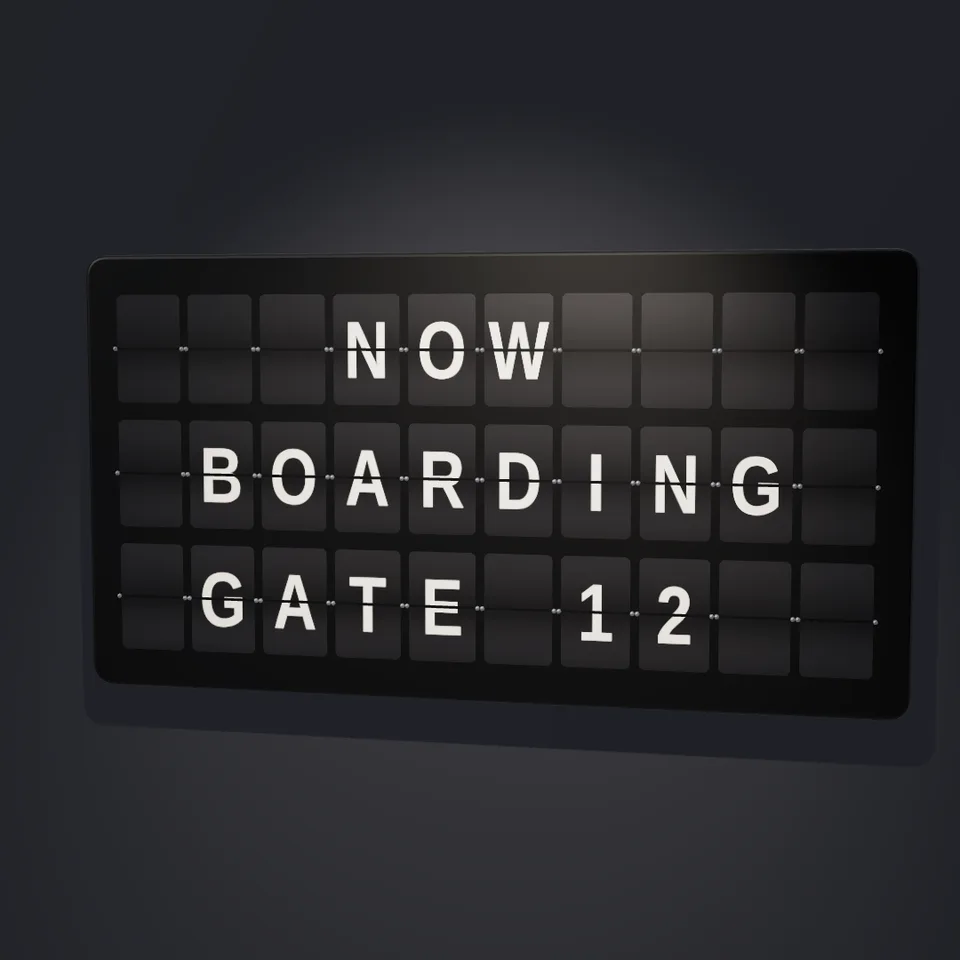
Your message on an airport departure board, every letter flipping into place, then changing to a second message.
In Machines & clockwork, Space & cosmos, Craft & heritage, Text & data
Next: AstrolabeSurprise me
Your current settings go with it. Combine several clips and hand them over together from your sequence.
Presets
Use | to start a new line (up to 3 lines).
A second message to flip to. Leave empty to keep the first.
Delay from one column to the next, in seconds.
0 fits the longest line.
Changes when each module starts.
The preview runs the same code your AI receives. These settings travel with the hand-off.
A split-flap board like the ones in old stations and airports. Each little module flips through its letters, the flaps falling and slapping down, until your words settle in a ripple from left to right; then the board flips on to a second message. Type up to three lines for each message, pick the flap and letter colours, the flip speed, and a straight-on or angled view.
src/split-flap.js is the ingredient your AI reuses. demo.js is only the example scene around it, and uses chrome-material only for the demo.
src/split-flap.jscreateSplitFlapBoard({ messages, times?, rows?, columns?, align?, flipRate?, ripple?, jitter?, flapColor?, textColor?, housingColor?, fontFamily?, seed?, anisotropy? }) => { group, width, height, rows, columns, settledAt, update(time), dispose() }splitLines(text) => string[]toDrum(text) => string[]DRUM: stringthree@0.185.1 (source) — Renderer, geometry and materials.chrome-material@1.1.0 (demo) — Studio environment light for the demo.apw-runtime@1.0.0 (demo) — Demo harness.Coordinates: World units: each module is 0.62 wide and 1 tall, 0.7 apart; width and height report the whole board.
Lighting: Standard materials: light it like any scene (one shadow-casting light shows the falling flaps best). The demo adds the studio environment from Chrome Material.
Timing: update(time) is a pure function of time. settledAt tells you when every module has stopped.
npm install
npm run render -- split-flap/1.0.0 --out my-video.mp4
Needs Node 18+, ffmpeg and Chrome/Chromium. Add --params my-settings.json (from Copy settings) for your own settings.sha256:1b9709b2d49de0ed… · other versions: 1.0.13D object3DSeamless loop16 seconds

3D object3DSeamless loop12 seconds
3D object3DSeamless loop16 seconds

Text layer3D6 seconds

Effect2D8 seconds
3D object3DSeamless loop12 seconds

3D object3DSeamless loop12 seconds
3D object3DSeamless loop12 seconds