Skip to content

ASCII Portrait

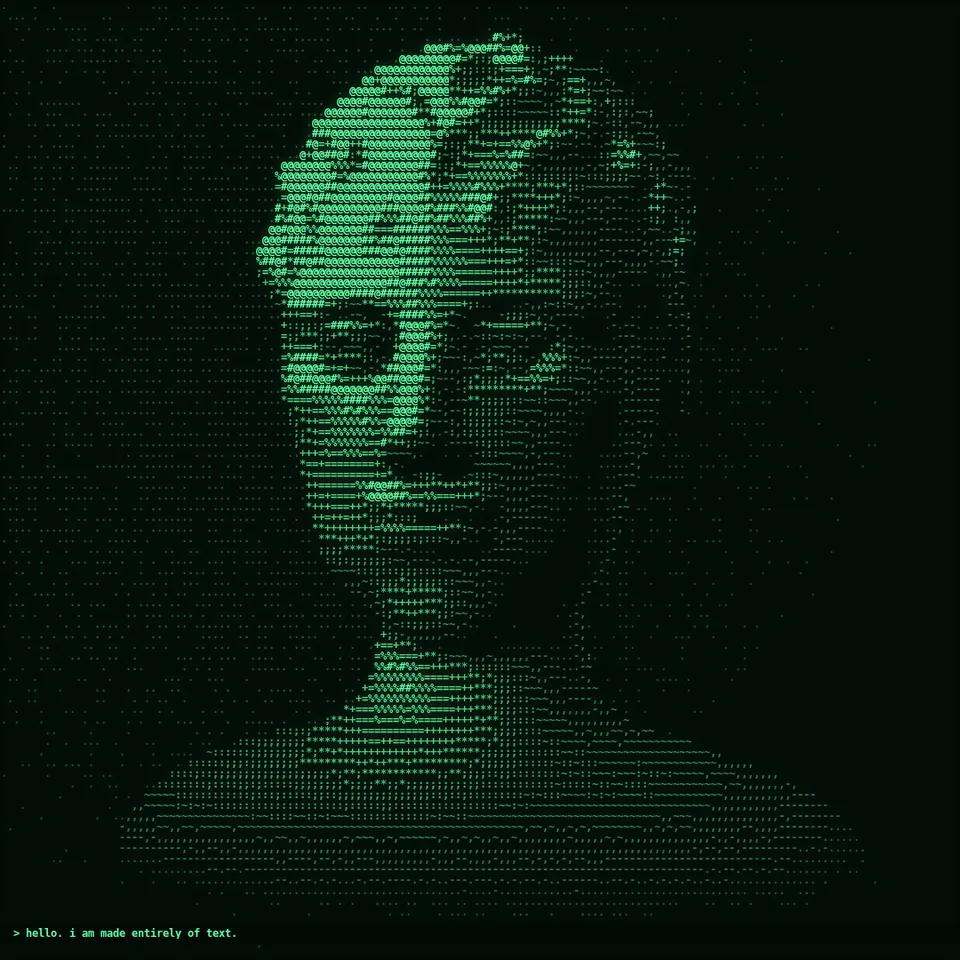
A sculpted head made of thousands of glowing text characters decodes out of scrambled symbols, slowly turns, and types a caption underneath.

Effect, V1 Effects2D478 lines of codev1.0.0

In Craft & heritage, Spooky & Halloween, Text & data

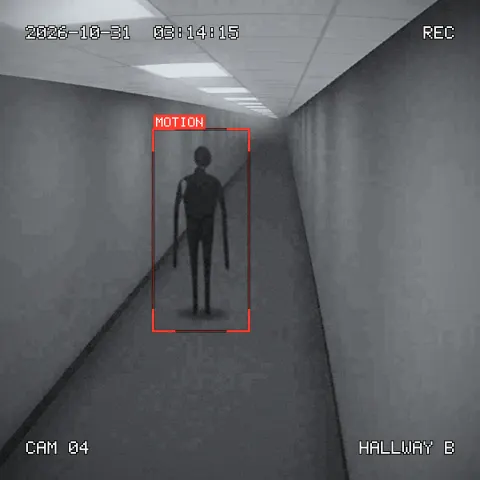
Next: CCTV Night Cam (Security Camera Footage)Surprise me

ASCII Portrait preview
Starting live preview…
00:00:00:00 / 00:00:00:01

Live, running the real source.

Open in the title maker

Your current settings go with it. Combine several clips and hand them over together from your sequence.

Effect controls

Presets

Typed out under the portrait. Leave empty for no caption.

12

Height of one character in pixels. Smaller shows more detail, larger reads more as text.

If it is lighter than the characters, the picture flips to ink on paper.

0.55

Soft bloom around bright characters. 0 for a clean print look.

1.15

The portrait starts as random characters that settle into the image.

40

How far the head turns over the clip, in degrees.

The preview runs the same code your AI receives. These settings travel with the hand-off.

Info

What it is

The ASCII portrait look from this week's feeds: a picture redrawn with monospace characters, faint dots in the shadows and dense symbols in the light, like a terminal screen or a typewriter print. The demo is a classical marble bust that unscrambles out of random symbols, turns slowly under a moving light and then types a line of text with a blinking cursor. Change the characters (classic, code, binary or blocks), their size, the colours (green screen, amber, ink on paper), the glow and the caption. The renderer also works on anything already drawn on a canvas, so you can turn your own footage or 3D scene into text.

Reuse it in your own idea

  • Draw your own footage or any 3D ingredient onto a 2D canvas each frame, then call ascii.applyToCanvas to turn it into text (for example Chrome Material Orbit or Black Hole).
  • Use the decode reveal on its own as an intro: start with reveal.duration of 1 s over a logo drawn into a brightness buffer.
  • Swap the bust for another subject: anything that returns a brightness buffer works, including Dither Animation's moon scene.
  • Put Kinetic Title over the finished portrait for an end card, or run VHS Camcorder over it for a 1987 terminal.

Which part is reusable

src/ascii-portrait.js, src/sculpted-head.js is the ingredient your AI reuses. demo.js is only the example scene around it, and uses the demo harness only for the demo.

Good to know

  • The bust is an idealised marble sculpture built from simple shapes, not a likeness of a real person; to turn a real face into text, draw your footage and use applyToCanvas.
  • Characters take one colour ramp from background to ink; per-character colour taken from a photo is not supported.
  • Monospace scripts only; the caption has no wrapping and no right-to-left shaping.

Technical details

Technical details
Implementation
Canvas 2D — plain browser JavaScript, no libraries · ES module src/ascii-portrait.js
Exports
  • createAscii({ cellSize?, charset?, background?, ink?, dim?, contrast?, gamma?, glow?, fontFamily?, weight? }) => { grid(w, h), drawBuffer(ctx, w, h, buffer, opts?), drawField(ctx, w, h, field, opts?), applyToCanvas(ctx, w, h, opts?), caption(ctx, w, h, text, opts?), ramp, cellW, cellH }
  • { classic, code, binary, blocks }
  • createSculptedHead({ hair?, zoom?, offsetY? }) => { render(cols, rows, { yaw?, pitch?, aspect?, light?, background? }) => Float32Array }
Dependencies (exact)
  • apw-runtime@1.0.0 (demo) — Demo harness and easing. src/ascii-portrait.js and src/sculpted-head.js have no dependencies.
How it fits a scene

Coordinates: A grid of characters centred in the frame; grid(width, height) gives cols, rows and cell size. Buffers are row-major, top row first.

Lighting: The bust has a key light from the upper left that swings with the turn, a rim light from behind and contact occlusion; brightness is mapped to character density.

Timing: Pure function of time and parameters. Decode is already under way on the first frame and settles by about 2 s; the caption starts typing at 1.5 s at 18 characters a second.

Output
1080×1080, 30 fps, 8 s · procedural (computed from the frame number) · not a loop — A reveal: the portrait decodes in, turns once and the caption finishes typing; it ends on the finished portrait with a blinking cursor.
Tested
Rendered 240 frames on 2026-10-10 in Chrome 154.0.8037.97 headless on Linux 7.0.0-38-generic (x64), Node 22.14.0 (Canvas 2D). Same frame twice from fresh pages: identical.
Performance
The character pass is one drawImage per cell from a pre-coloured glyph atlas plus one blur for the glow: a few milliseconds at 1080×1080. The ray-marched bust is the costly part: one ray per cell, roughly 20–40 ms a frame at the default size on a laptop, more with small characters. Character sizes below 8 px get slow (the bust renders over 30,000 rays) and blur together on video. The caption is one line and is cut with an ellipsis if it is wider than the grid.
Export a video yourself
Download the source, then in the folder: npm install npm run render -- ascii-portrait/1.0.0 --out my-video.mp4Needs Node 18+, ffmpeg and Chrome/Chromium. Add --params my-settings.json (from Copy settings) for your own settings.
Version
1.0.0 · sha256:b3488dcd88c7cc37…
Files
License
MIT. Copyright (c) 2026 AI Pixel Wizard. Released under the MIT License. See LICENSE in this folder. License details
Provenance
Original code written for AI Pixel Wizard on 2026-10-07 by an automated agent (the daily trend routine), inspired by the ASCII portrait trend in code-made AI video: @johnknopf's ASCII self-portrait (https://x.com/johnknopf/status/2103698854399099057, indexed at https://claudevideo.org/videos/ascii-character-portrait-types-out-a-self-introduction) and @cherry_mx_reds's neon-to-ASCII restyle (https://x.com/cherry_mx_reds/status/2105816670896009224). Techniques: brightness-to-character mapping and signed-distance ray marching are long-standing public techniques; the head is built from smooth-unioned ellipsoids and capsules written for this asset. The character ramp is measured from the installed font at run time; no fonts, images, models or code from elsewhere are included. Uses the viewer's monospace font; no font files are bundled.
BinMore like this