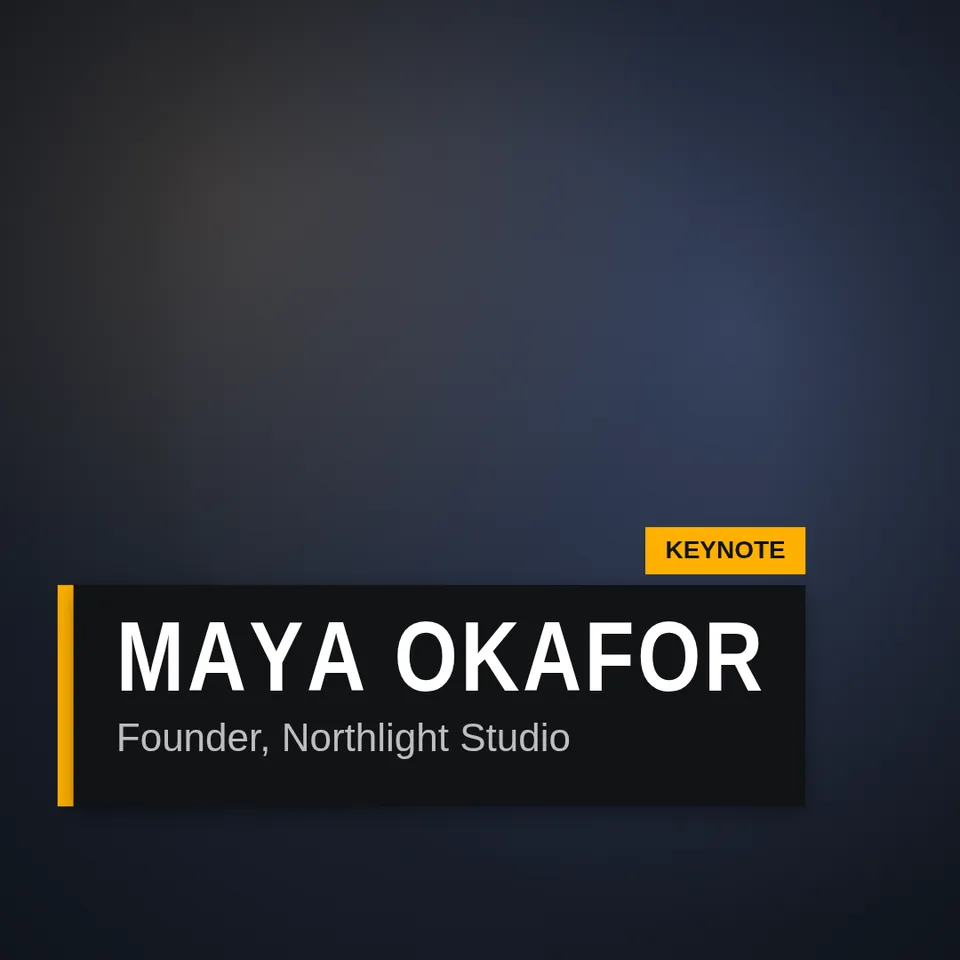

Kinetic Title Reveal
Text layer2D4 seconds
A broadcast name strap: an accent bar wipes in, a plate opens out of it, the name rises under a mask, then the role and a tag chip arrive.
In Text & data
Your current settings go with it. Combine several clips and hand them over together from your sequence.
Presets
A small chip above the plate, such as LIVE or a place. Leave empty for none.
The preview runs the same code your AI receives. These settings travel with the hand-off.
The name strap of a broadcast or a documentary. An accent bar wipes in from the left, a dark plate opens out of it, the name rises into place under a mask in a condensed, tracked-out headline face, the role follows in a lighter weight and a small tag chip pops above the end of the plate. At the end it all folds away the way it came. Type the name, the role and an optional tag, choose the look (bar, stripe or boxed), the colours, and whether it leaves before the clip ends.
src/lower-third.js is the ingredient your AI reuses. demo.js is only the example scene around it, and uses the demo harness only for the demo.
src/lower-third.jscreateLowerThird({ name?, role?, tag?, style?, accent?, plate?, ink?, fontFamily?, x?, y?, inAt?, outAt? }) => { draw(ctx, info, width, height), revealDuration }STYLES: ['bar', 'stripe', 'box']apw-runtime@1.0.0 (demo) — Demo harness. The reusable source has no dependencies.Coordinates: The strap's left edge sits at 6% of the width and its bottom at 84% of the height; sizes scale with the smaller side of the canvas.
Lighting: A soft drop shadow lifts the plate off the picture.
Timing: Pure function of time; revealDuration says when everything has arrived (about 1.9 s with the default start).
npm install
npm run render -- lower-third/1.0.0 --out my-video.mp4
Needs Node 18+, ffmpeg and Chrome/Chromium. Add --params my-settings.json (from Copy settings) for your own settings.sha256:54170e07f4f6db1f…Text layer2D4 seconds
Text layer2D5 seconds
Text layer2D8 seconds
Text layer2D7 seconds
Text layer2D9 seconds
Full example2D5 seconds
Effect2D8 seconds
Text layer2DSeamless loop6 seconds